

Wholesale Price style/design
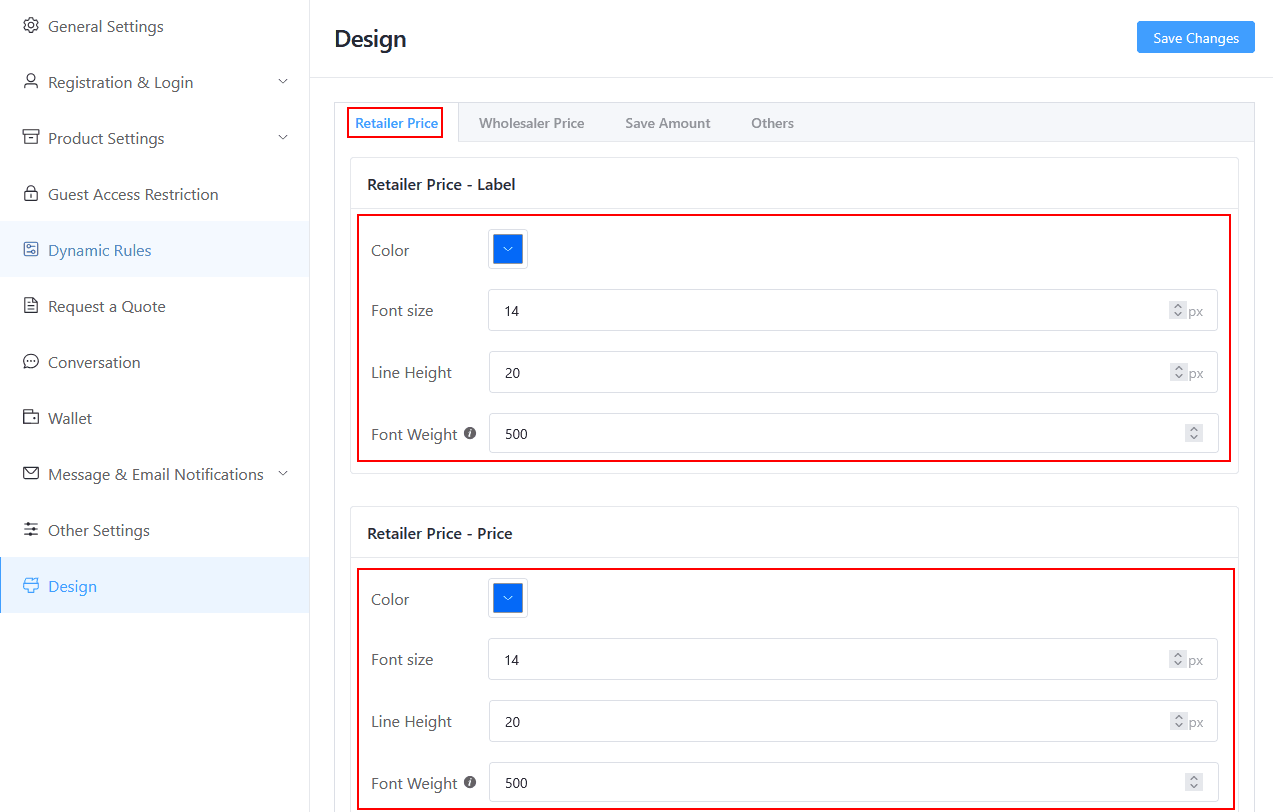
Retailer Price Style Control
- Retailer Price Label: You can set the Retailer Price Label text color, Font Size, Line Height, and Font Weight.
- Retailer Price: You can set the Retailer Price text color, Font Size, Line Height, and Font Weight.
- Retailer Price Area Margin: You can set the Retailer Price area margin here.
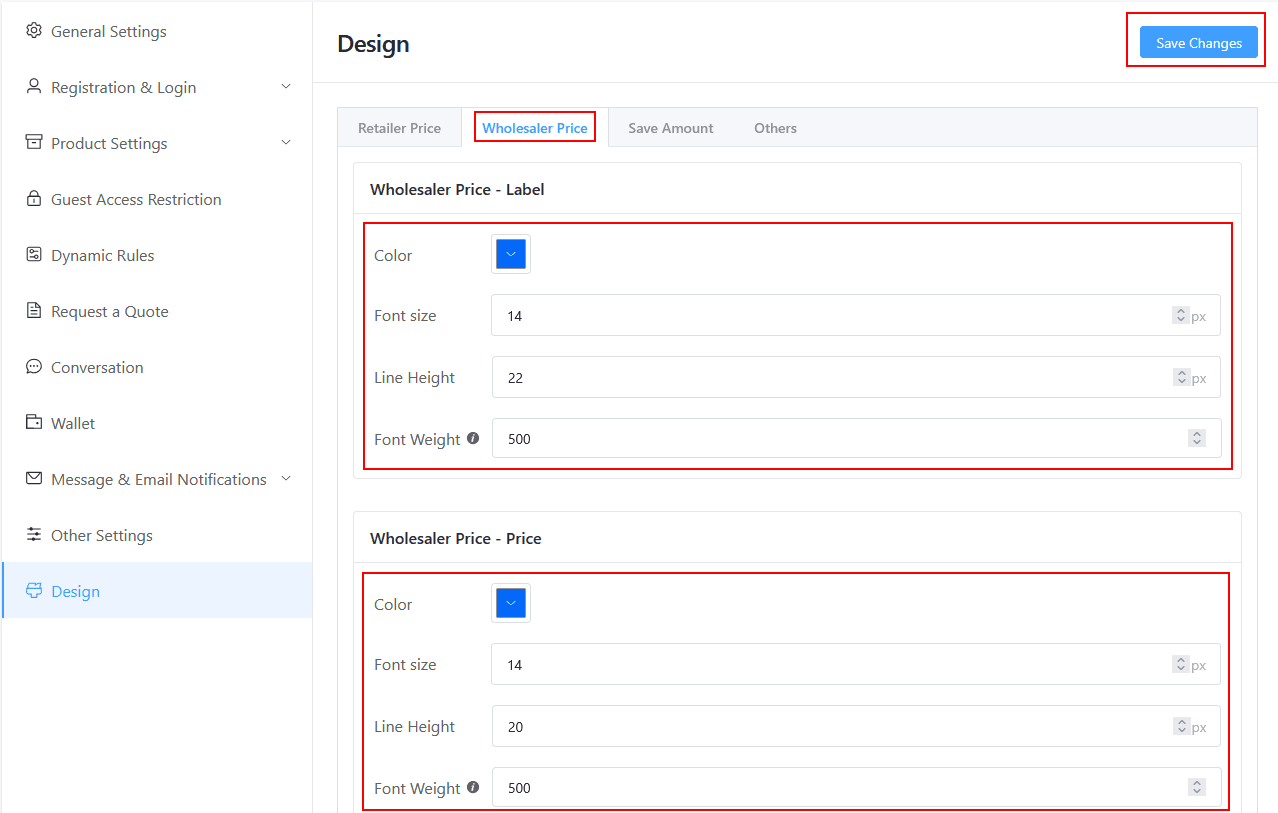
Wholesaler Price Style Control
- Wholesaler Price Label: You can set the Wholesaler Price Label text color, Font Size, Line Height, and Font Weight.
- Wholesaler Price: You can set the Wholesaler Price text color, Font Size, Line Height, and Font Weight.
- Wholesaler Price Area Margin: You can set the Wholesaler Price Label margin here.
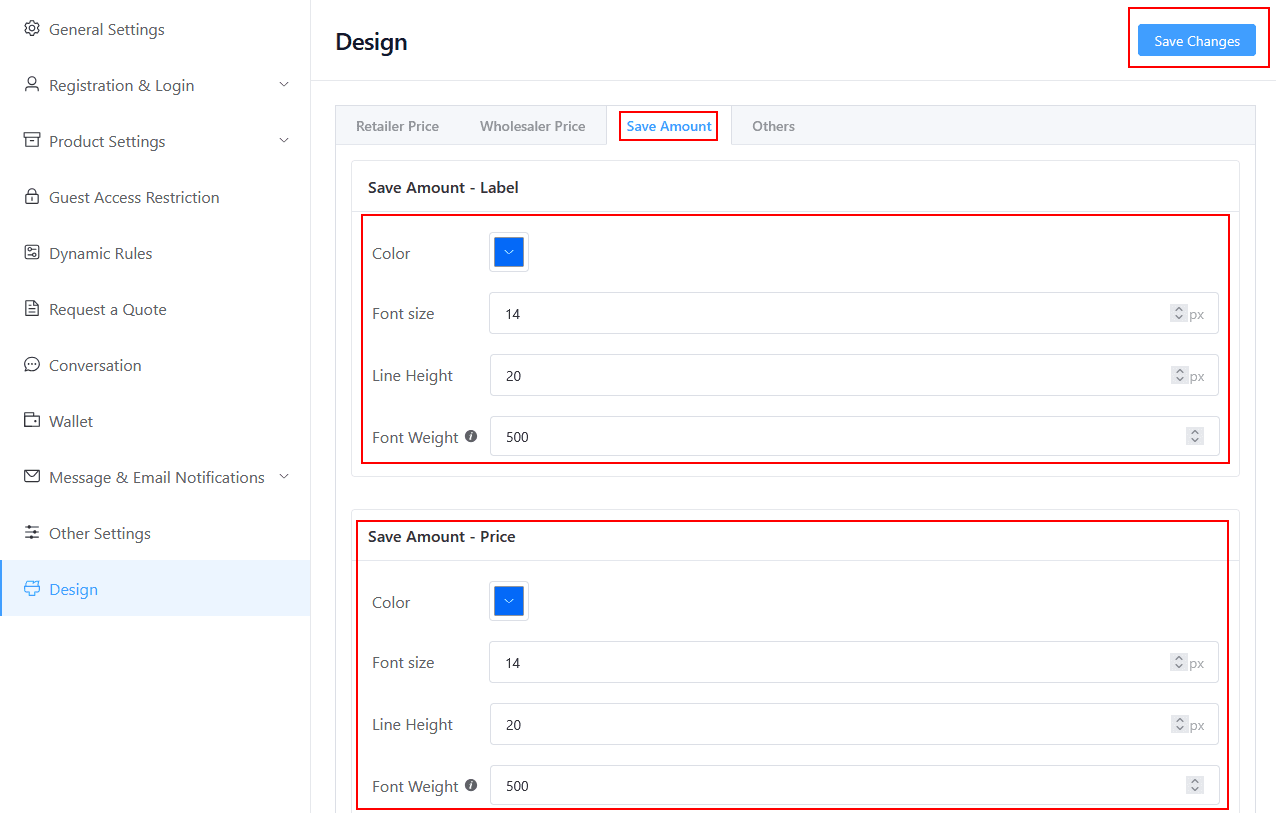
Save Amount Style Control
- Save Amount Label: You can set the Save Amount Label text color, Font Size, Line Height, and Font Weight.
- Save Amount Price: You can set the Save Amount Price text color, Font Size, Line Height, and Font Weight.
- Wholesaler Save Amount Margin: You can set the Wholesaler Save Amount margin here.
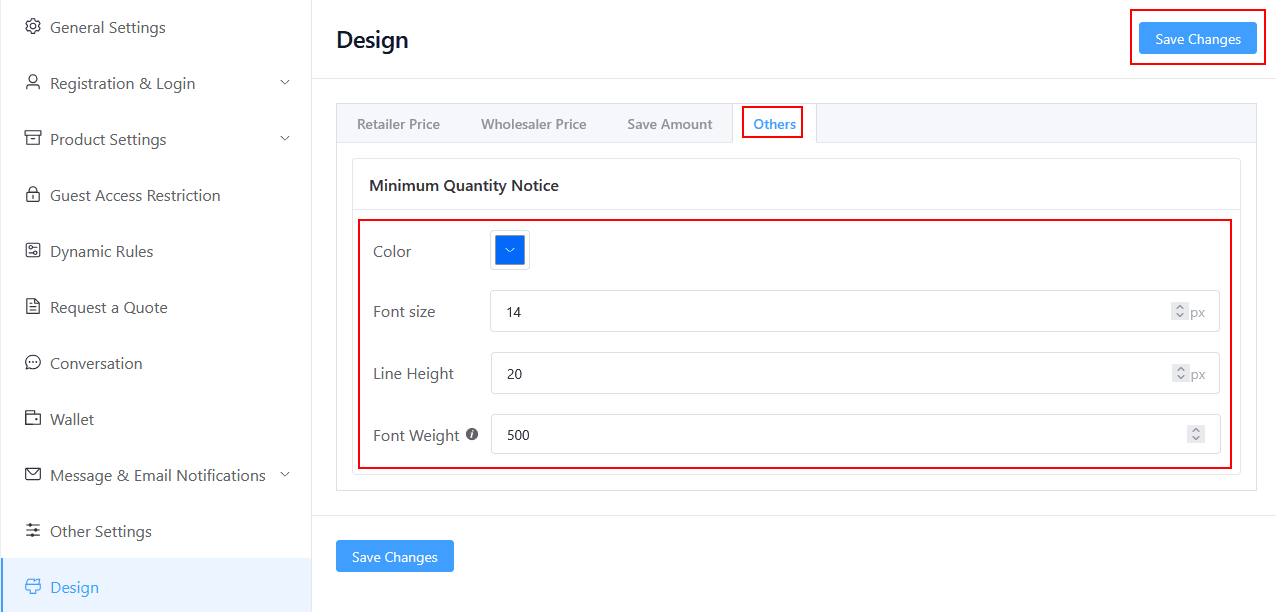
Minimum Quantity Notice Style Control
- Save Amount Label: You can set the Save Amount Label text color, Font Size, Line Height, and Font Weight.
Style output

Last updated on December 24, 2025
Was this article helpful?
Powered by Support Genix