How to set wholesale prices for different categories?
ashim
September 22, 2022
1 min read
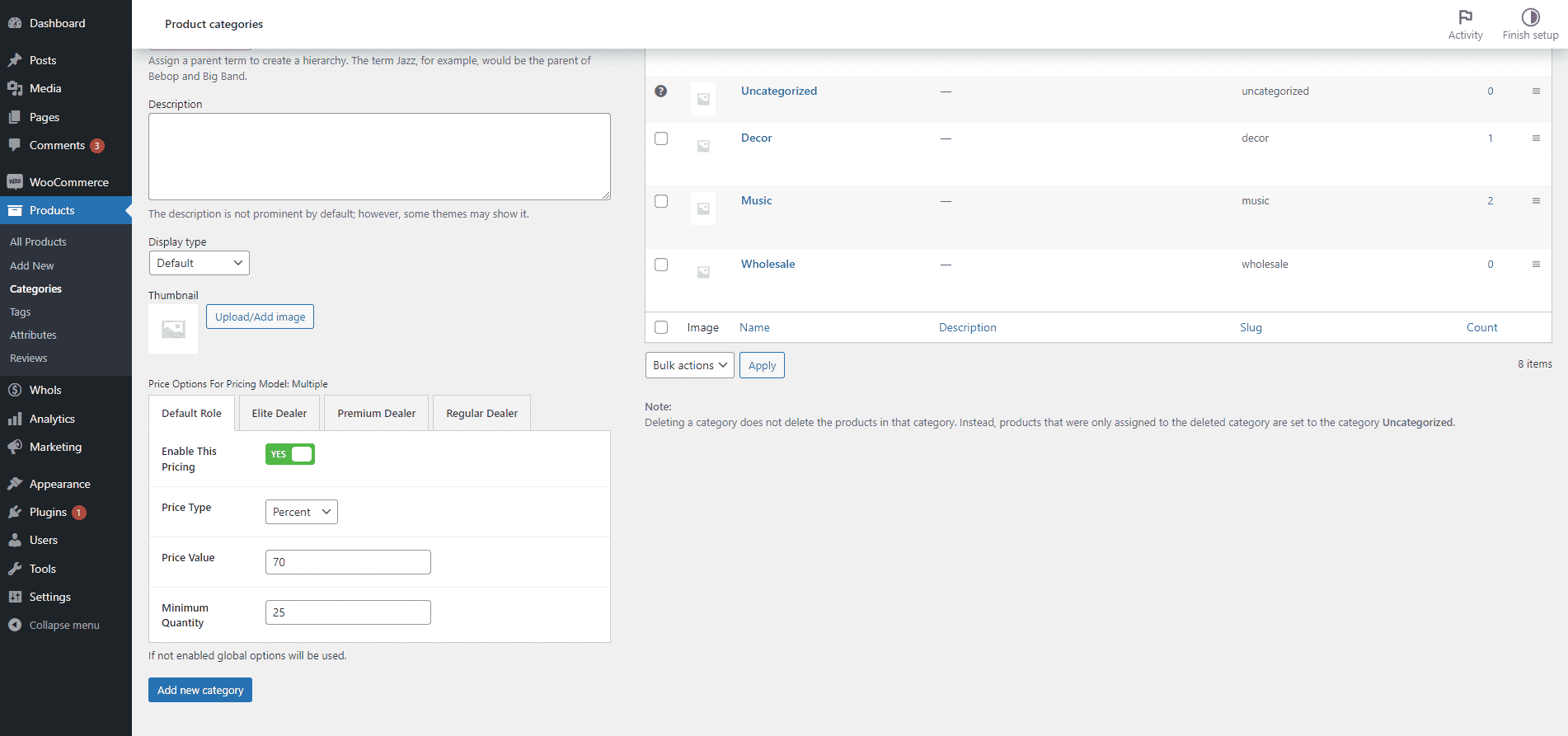
When adding a product category, it’s possible to “add multiple pricing models” for that category. For each roles of wholesaler, it’s possible to add a pricing model.
When a pricing model is assigned to a product category, it is applied to all products in that category.

Last updated on December 24, 2025
Was this article helpful?
PREVIOUS
How to Create Wholesaler Roles
NEXT
Steps to Enable Role-Specific Registration for Wholesalers
Powered by Support Genix
Related Articles
Set up Wholesaler Registration & Login
Use this shortcode [whols_registration_form] anywhere on a page, to show the wholesaler registration form. After registering, wholesalers…
Read morePlugin Installation
Before installing the Whols plugin, ensure you have WooCommerce installed and activated on your WordPress…
Read moreHow to Create Wholesaler Roles

Name: The name is how it appears on your site. Slug: The “slug” is the…
Read moreSystem Requirements
System Requirements for Whols Before installing Whols, make sure your website meets the required WordPress,…
Read more