

Product Visibility Settings
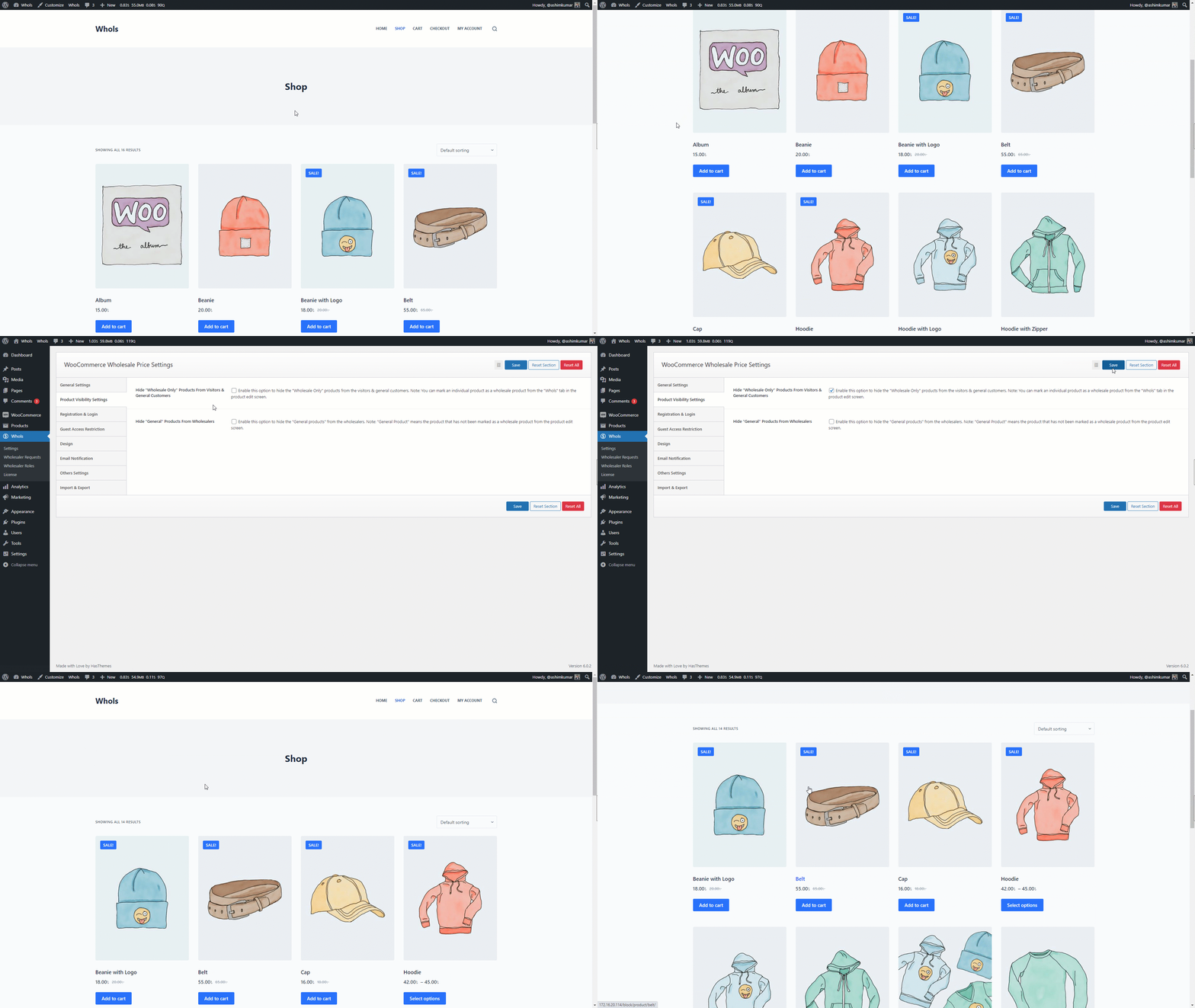
Hide “Wholesale Only” Products From Visitors & General Customers
Enable this option to hide the “Wholesale Only” products from the visitors & general customers.
Note: You can mark an individual product as a wholesale product from the “Whols” tab in the product edit screen.
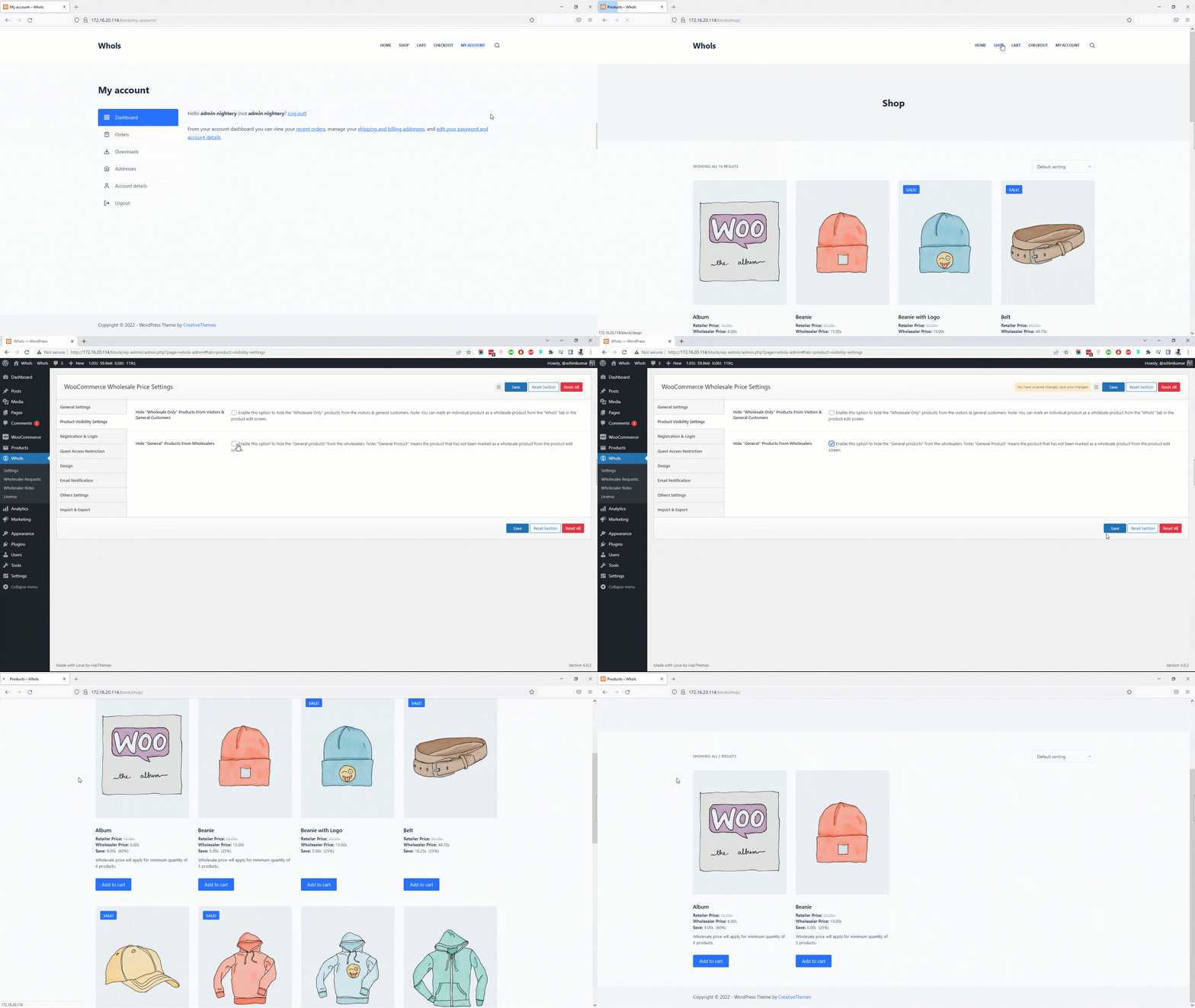
Hide “General” Products From Wholesalers
Enable this option to hide the “General products” from the wholesalers.
Note: “General Product” means the product that has not been marked as a wholesale product from the product edit screen.
Last updated on December 24, 2025
Was this article helpful?
Powered by Support Genix