

Payment Control – Control Available Payment Methods
This action allows you to enable or disable specific WooCommerce payment methods based on defined rules. It gives you granular control over which options appear at checkout for different customers or scenarios.
When to Use
Use this feature if you want to:
- Run promotional campaigns where shipping costs are covered.
- Offer free shipping to particular customer groups (e.g., wholesale buyers).
- Encourage larger orders by waiving shipping when order thresholds are reached.
Configuration Steps
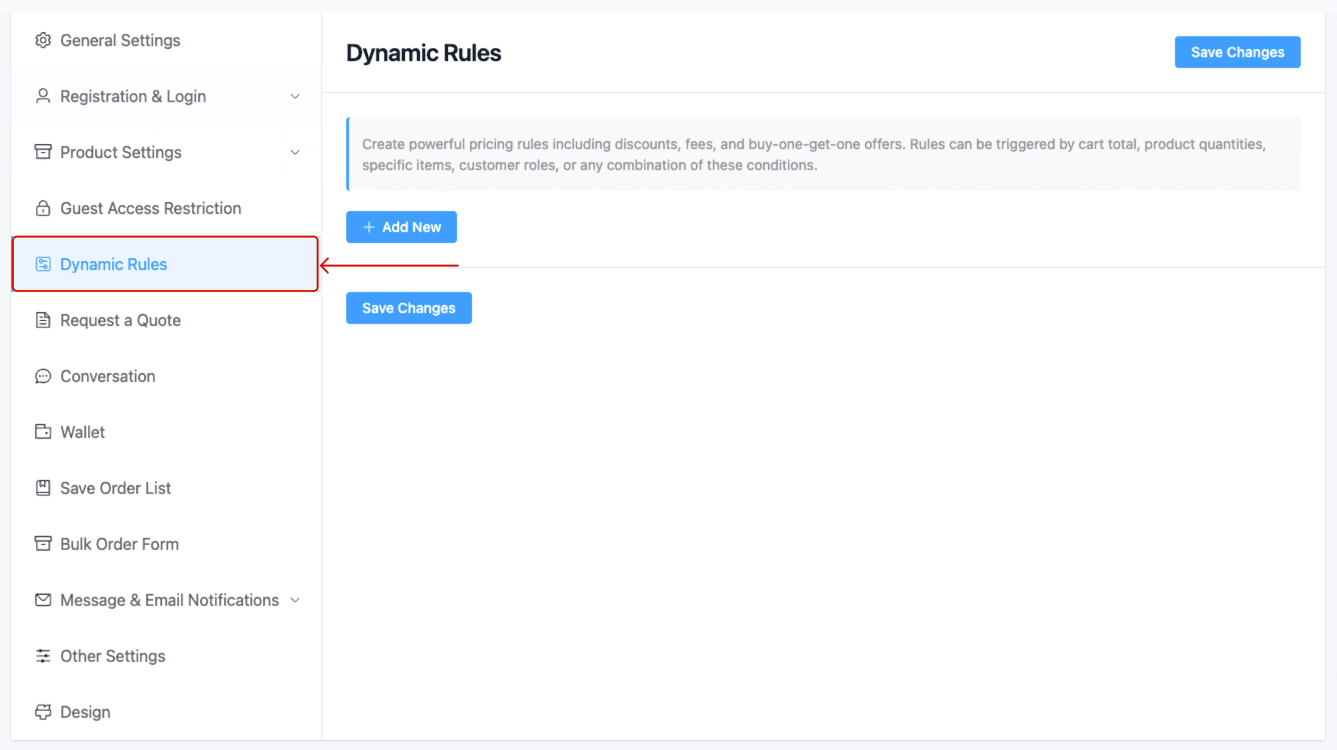
Navigate to Dynamic Rules
Go to Whols > Dynamic Rules in your WordPress dashboard.
Add a New Rule
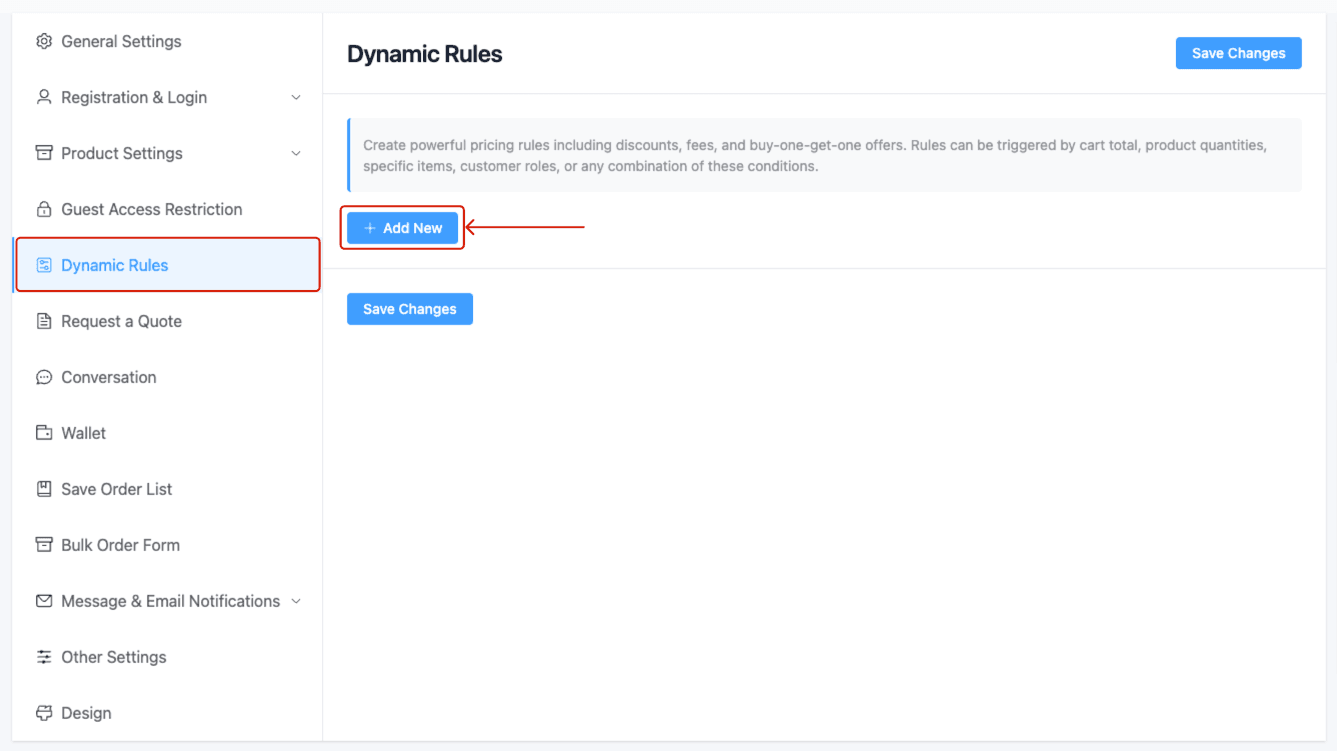
Click Add New (or edit an existing one).
Select Action Type
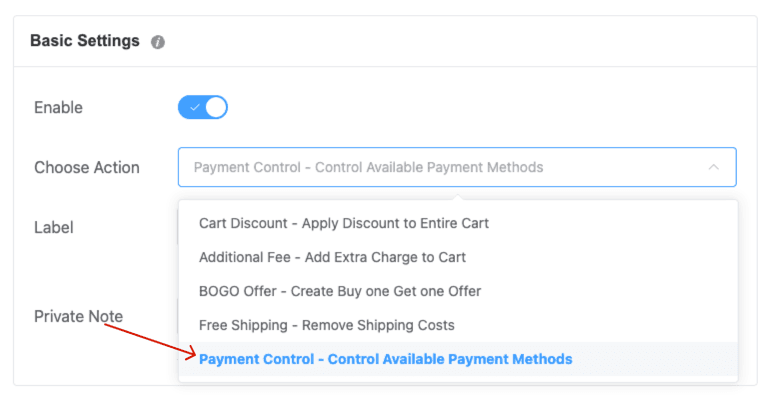
From the Choose Action dropdown, select Payment Control – Control Available Payment Methods.
Label & Note
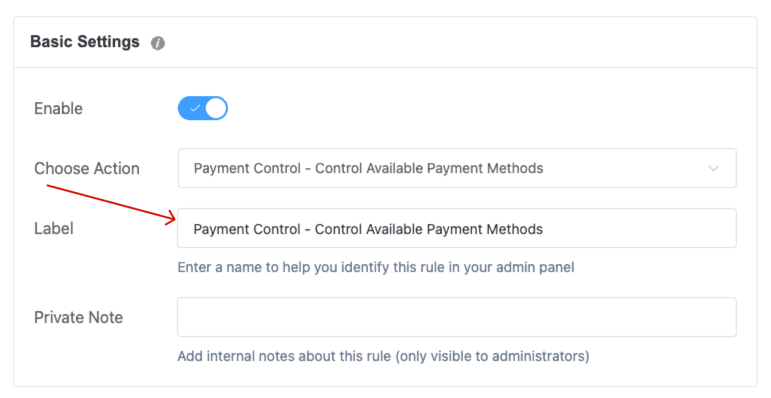
- Label: Enter a descriptive name (e.g., Free Shipping for Registered Dealers).
- Private Note: Optionally add an internal note (admin‑only visible).
Configure Payment Methods Control
- Control Criteria: Choose one:
- Allow Selected Methods – Disable all others
- Disallow Selected Methods – Allow all others
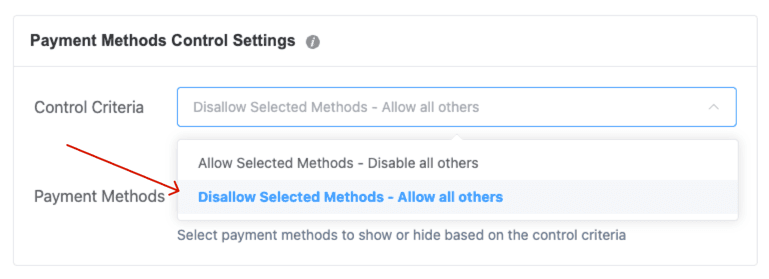
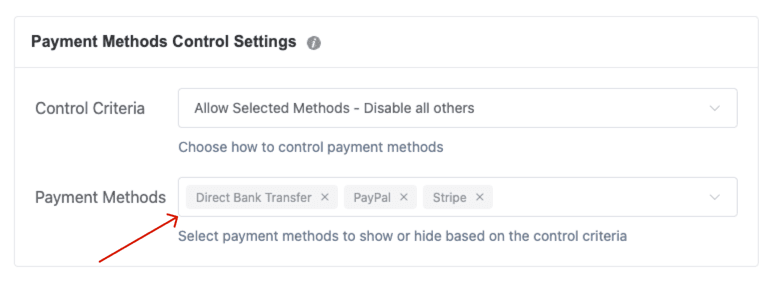
- Payment Methods: Select from available methods (e.g., Direct Bank Transfer, PayPal, Stripe).
Set Conditions
Configure the rule using available sections: User Conditions, Order Conditions, Customer History, etc. The free shipping applies only when all configured conditions are met.
For example:
- User Conditions: Apply the rule only to users with the Registered Customers role.
- Customer History Conditions: Trigger the rule for customers with at least 10 previous orders.
- Scheduling Conditions: Activate the rule every Wednesday.
- Common Conditions: Trigger the rule when cart subtotal ≥ $500 AND total item quantity ≥ 10.
- Cart – subtotal: Trigger the rule when the cart subtotal is at least $50.
- Cart – total quantity: Apply the rule if the total quantity of items in cart is 10 or more.
- Cart – item count: Activate the rule when the number of distinct products in the cart is 3 or fewer.
- Checkout – shipping country: Enforce the rule only for orders shipping to Bangladesh.
Save
Click Save Changes. Once saved, the rule activates, and shipping costs will be removed when all selected conditions are met.
Last updated on November 27, 2025
Was this article helpful?
Powered by Support Genix