

How to set role based Product Pricing?
E-commerce sites often have a need to provide customized pricing for different types of wholesale customers. Offering role based pricing based on purchase quantity and assigned customer roles allows you to strategically target portions of your customer base.
This documentation covers two approaches:
- Role Based Simple Pricing
- Role Based Tiered Pricing
Choose the approach that best aligns to your business goals and platform capabilities.
Role Based Simple Pricing
A simpler approach is to define a single discounted price point per user role. For example:
- Default Wholesale Customers
- Can buy “Hoodie” for $45 when purchasing 50+ units
- Role 1 Wholesale Customers
- Can buy “Hoodie” for $42 when purchasing 50+ units
- Can buy “Hoodie” for $42 when purchasing 50+ units
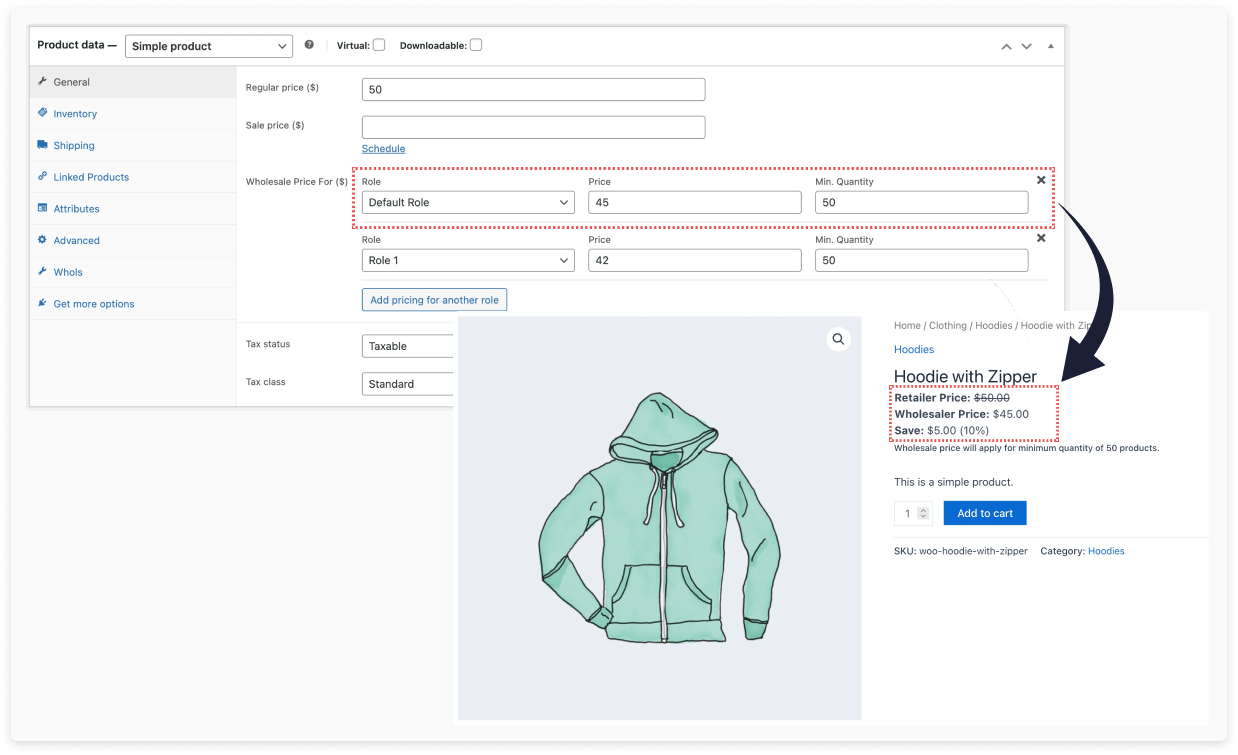
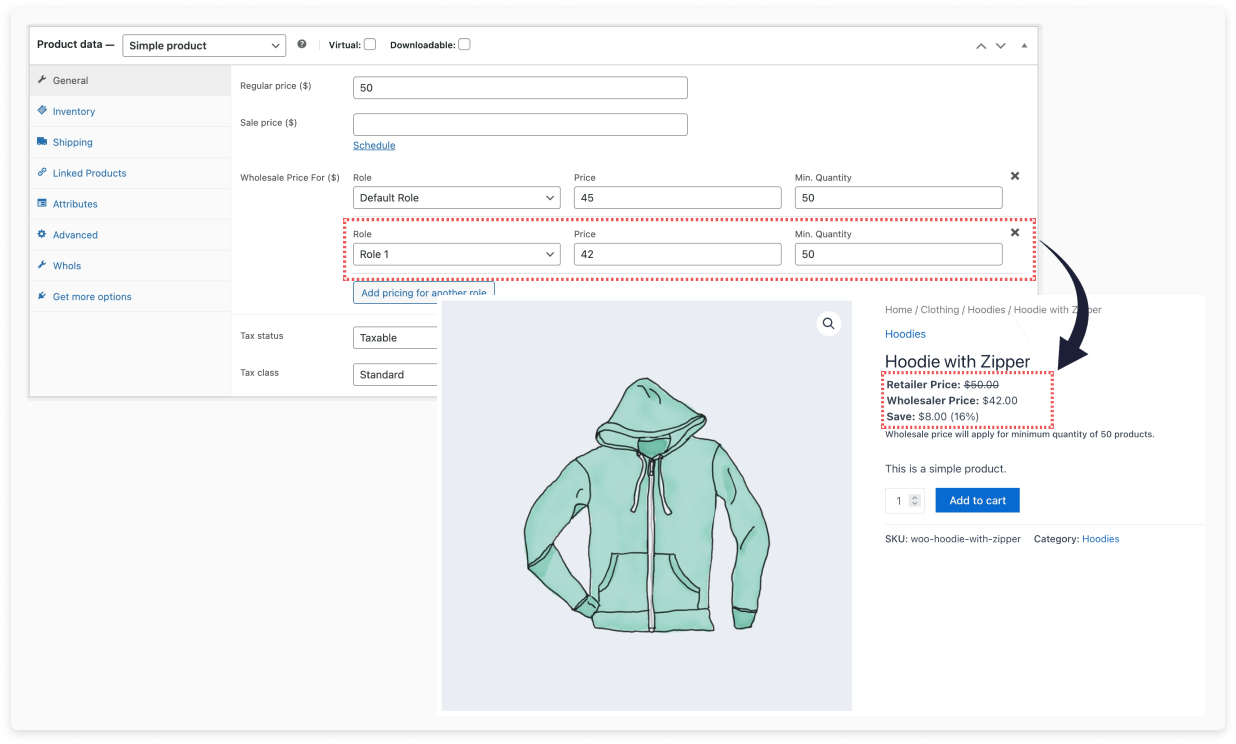
This may be easier to manage if you only need a single bulk pricing tier per customer group.
Role Based Tiered Pricing
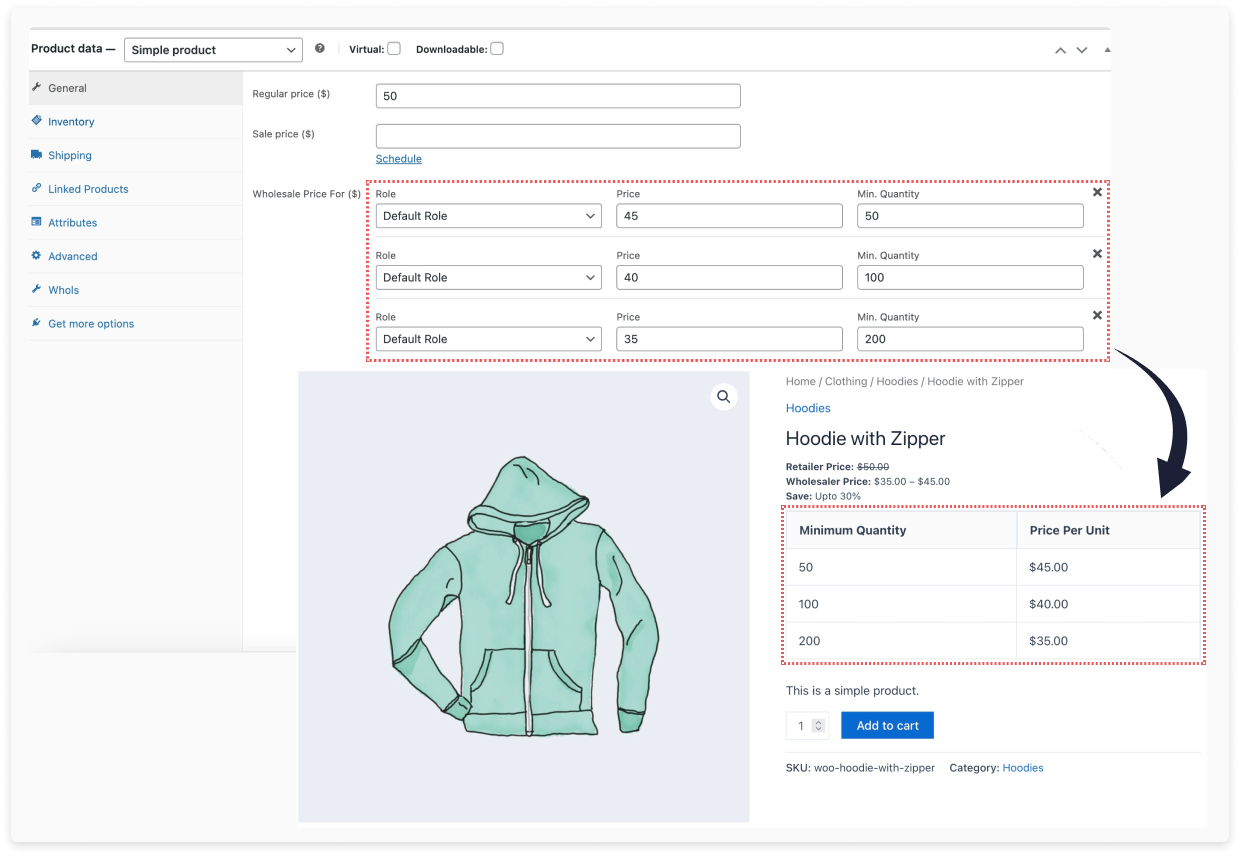
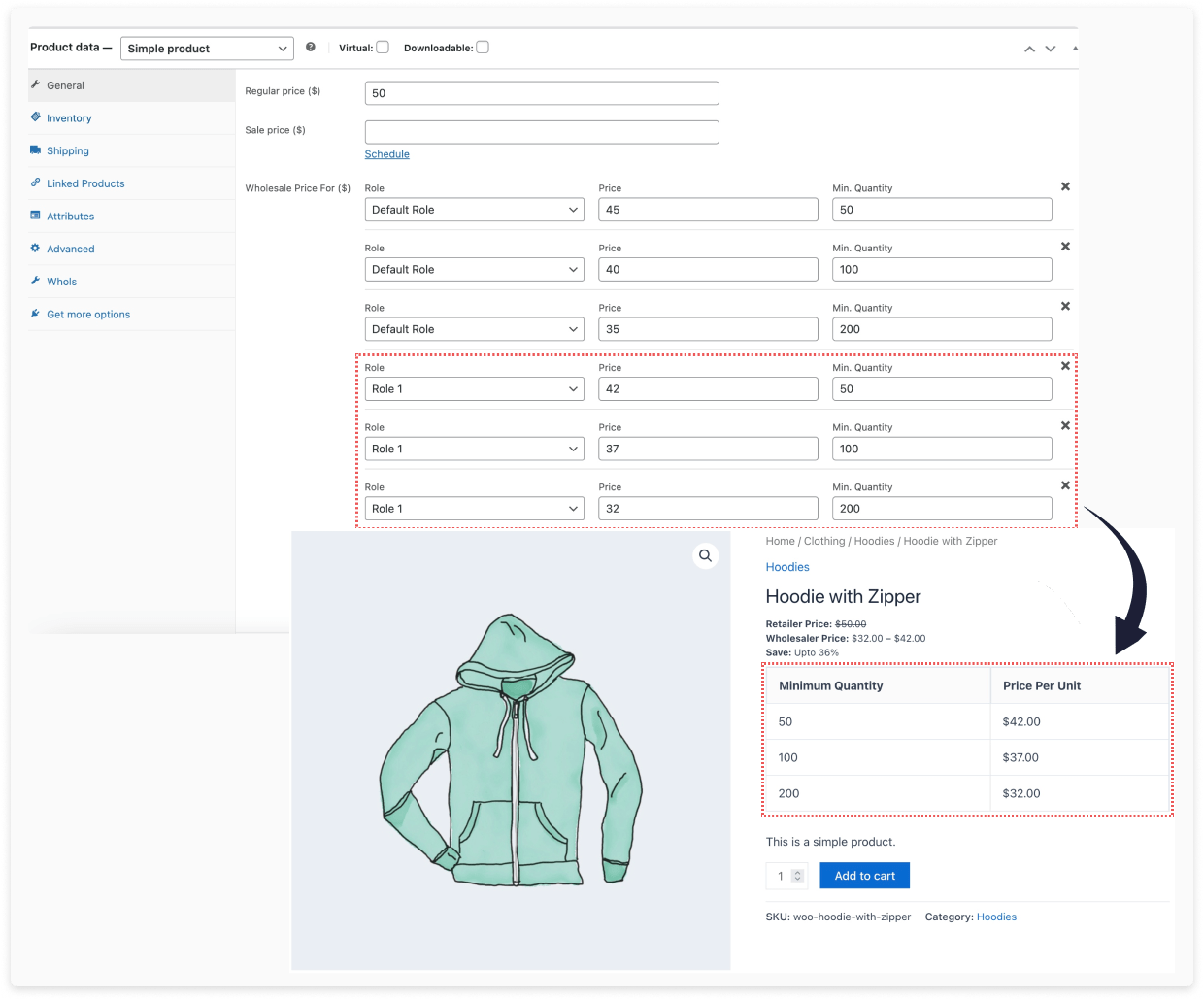
With this model, pricing tiers are defined separately for each customer group. For example:
- Default Wholesale Customers
- Can buy “Hoodie” for $45 when purchasing 50+ units
- Can buy for $40 when purchasing 100+ units
- Can buy for $35 when purchasing 200+ units
- Role 1 Wholesale Customers
- Can buy “Hoodie” for $42 when purchasing 50+ units
- Can buy for $37 when purchasing 100+ units
- Can buy for $32 when purchasing 200+ units
By specifying pricing thresholds and discounts independently per role, you can precision target customer segments.
Summary
Defining role based pricing allows you to strategically target wholesale customer segments. Choose between a tiered pricing model for maximum flexibility or a simple pricing model for easier management.
Last updated on December 24, 2025
Was this article helpful?
Powered by Support Genix