


Quick Answer: Whols and Wholesale Suite offer practical free starting points. B2B Wholesale for WooCommerce provides a broad all-in-one workflow. IGNITEWoo focuses on detailed quantity rules and direct support. WooCommerce B2B stands out for quotations and one-time pricing. Barn2 suits stores that prioritize a separate private wholesale area and modular setup.The right choice depends on your pricing structure, approval process, catalog visibility, bulk ordering needs, required integrations, and total licensing cost.
WooCommerce handles products, customers, orders, payments, and shipping. However, it does not include a complete wholesale workflow with role-based pricing, wholesale registration, private catalogs, minimum order rules, and bulk ordering.
WooCommerce Wholesale Plugins add these B2B capabilities to an existing WooCommerce store. They can help you serve wholesale and retail customers from one catalog without creating separate products or managing prices manually.
This guide compares 6 wholesale plugins for WooCommerce based on their published features, pricing models, limitations, compatibility, support, and best-fit use cases. No hands-on testing was conducted for this comparison.
Table of Contents
Best WooCommerce Wholesale Plugins at a Glance
| Plugin | Best For | Free Version | Multiple Pricing Tiers | Registration and Approval | Bulk Ordering | B2B and B2C |
| Whols | Hybrid B2B and B2C stores, dynamic rules, and agency licensing | Yes | Yes, with Pro | Yes | Yes, with Pro | Yes |
| B2B Wholesale for WooCommerce | An all-in-one B2B workflow with pricing, quotes, and analytics | No | Yes | Yes | Yes | Yes |
| IGNITEWoo Wholesale Pro Suite | Detailed quantity rules, quick ordering, and phone support | No | Yes | Verify for your workflow | Yes | Yes |
| Wholesale Suite | Starting with free role-based wholesale pricing | Yes | Premium | Separate premium component | Separate premium component | Yes |
| WooCommerce B2B | Quotation-based sales and one-time licensing | No | Yes | Yes | Yes | Yes |
| Barn2 WooCommerce Wholesale Pro | Private wholesale areas and modular store builds | No | Yes | Yes | Requires an additional plugin | Yes |
Note: Prices and promotional discounts can change. Check the relevant product page before purchasing or renewing a license.
How We Evaluated These WooCommerce Wholesale Plugins
This comparison uses publicly available product pages, documentation, plugin listings, pricing pages, and changelogs.
Each plugin was evaluated using the following commercial criteria:
- Wholesale pricing flexibility
- Role-based and customer-group pricing
- Number of wholesale pricing tiers
- Wholesale registration and account approval
- Minimum order quantity and value rules
- Product, category, price, and catalog visibility
- Bulk and repeat-order workflows
- B2B and B2C support in one store
- Quotation and negotiated-sales workflows
- Payment, shipping, tax, and coupon controls
- Multilingual and multi-currency compatibility
- Compatibility with inventory, checkout, and other WooCommerce tools
- Documentation and support options
- Maintenance and update activity
- Free and premium feature differences
- Additional plugin requirements
- Annual, lifetime, and multi-site licensing
The “best for” recommendations in this guide are editorial assessments based on those differences. They should not be treated as universal rankings.
What Is a WooCommerce Wholesale Plugin?
A WooCommerce wholesale plugin adds features designed for B2B customers, distributors, resellers, and bulk buyers.
Most wholesale plugins use WordPress user roles or dedicated customer groups to determine which customers can access wholesale prices, products, payment methods, shipping options, and ordering rules.
A basic plugin may add one wholesale customer role and a separate price field. A more complete solution may include:
- Multiple wholesale user roles
- Fixed and percentage-based wholesale pricing
- Quantity-based pricing tiers
- Wholesale registration and approval
- Private or wholesale-only catalogs
- Minimum order requirements
- Bulk order forms
- Request-a-quote functionality
- Role-specific payment and shipping methods
- Tax exemption and coupon controls
Understanding how B2B wholesale works can help you determine which of these features your store needs.
Why Use a WooCommerce Wholesale Plugin?
A suitable wholesale plugin can help you manage B2B ecommerce without duplicating your entire store.
It can help you:
- Show different prices to retailers, distributors, VIP buyers, and other customer groups
- Review and approve businesses before providing wholesale access
- Run wholesale and retail operations from one product catalog
- Create wholesale-only or group-specific product collections
- Enforce minimum order quantities and minimum cart values
- Allow customers to order multiple SKUs more efficiently
- Offer invoice payments or purchase orders to approved customers
- Restrict specific payment or shipping methods by customer role
- Reduce repetitive price changes and manual order administration
A hybrid setup can be particularly useful if you want to serve B2B and B2C customers from the same WooCommerce store.
However, more features do not automatically make a plugin more suitable. Features that your business will not use can add configuration work, compatibility risks, and licensing costs.
What to Look for in a WooCommerce Wholesale Plugin
Role-Based Pricing
Role-based pricing lets you display different prices according to the logged-in customer’s role or group.
For example, you may need separate prices for:
- Standard wholesale customers
- Distributors
- Regional dealers
- High-volume accounts
- VIP or negotiated accounts
Check whether the plugin supports one wholesale role or multiple pricing tiers. You should also determine how each price can be configured.
Common pricing options include:
- Fixed wholesale prices
- Percentage-based discounts
- Global store discounts
- Category-level pricing
- Product-level pricing
- Variation-level pricing
- Quantity-based price breaks
- Customer-specific prices
If several rules can affect one product, verify which rule receives priority. You can also review this guide to role-based pricing in WooCommerce.
Wholesale Registration and Approval
A public WooCommerce registration form may not collect enough information from business buyers.
A wholesale registration workflow can collect information such as:
- Business name
- Tax or VAT number
- Company website
- Resale certificate
- Business address
- Expected order volume
- Requested customer tier
- Supporting documents
Check whether the plugin allows manual approval, automatic approval, account rejection, custom fields, file uploads, role assignment, and email notifications.
Some plugins include registration in the main product. Others require a premium plan or separate registration component.
If account screening is important, review how to set up a WooCommerce wholesale registration form.
Minimum Order Rules
Minimum order rules help prevent wholesale customers from placing orders that are too small to be commercially practical.
Depending on your products, you may need:
- Minimum quantity per product
- Minimum quantity per variation
- Minimum category quantity
- Minimum total cart quantity
- Minimum order value
- Maximum quantity or value
- Quantity increments
- Case-pack or carton-size rules
Check whether each rule can apply globally or vary by customer role, product, category, or variation.
You should also confirm what happens when a buyer fails to meet the requirement. The plugin may block checkout, withhold the wholesale price, automatically adjust the quantity, or display a notice.
For additional planning, see these minimum order quantity strategies.
Product and Price Visibility
Wholesale stores can use several catalog structures.
- Shared catalog: Retail and wholesale customers see the same products but receive different prices.
- Wholesale-only catalog: Products or prices are available only to approved wholesale customers.
- Group-specific catalog: Different wholesale roles see different products, categories, or assortments.
Check whether the plugin can control:
- Product visibility
- Category visibility
- Price visibility
- Add to Cart buttons
- Purchasing permissions
- Wholesale-only products
- Retail-only products
- Full-store access
- Login or registration messages
If you have negotiated assortments for individual accounts, verify whether customer-specific catalogs are included or require another plugin.
You can learn more about the available approaches in this guide to hiding WooCommerce prices and products.
Bulk Ordering
Bulk pricing and bulk ordering are not the same feature.
Bulk pricing changes the price when a customer purchases a certain quantity. A bulk order form changes the way customers browse products and build an order.
A useful wholesale ordering interface may include:
- Searchable product tables
- SKU search
- Category and attribute filters
- Variation selectors
- Quantity fields
- Multi-product Add to Cart
- CSV ordering
- Saved product lists
- Previous-order duplication
- Quick reorder
Stores with frequent multi-SKU orders should prioritize the ordering experience rather than choosing a plugin based only on its pricing rules.
See this practical guide to WooCommerce wholesale order forms for more information.
B2B and B2C Support
A hybrid WooCommerce store should provide separate experiences for retail and wholesale customers without requiring duplicate products.
Retail visitors should see normal prices and purchasing options. Approved wholesale users should receive the correct prices, product visibility, minimum order rules, and payment methods after logging in.
Test the following areas for each user role:
- Shop and category pages
- Product search
- Product feeds
- Product pages
- Cart and checkout
- Account pages
- Cached pages
- Tax calculations
- Coupons
- Payment methods
- Shipping methods
A wholesale-only store may have different priorities. It may need full-site restriction, mandatory approval, hidden prices, catalog mode, and no public retail journey.
Payment and Shipping Controls
Different B2B customers may qualify for different checkout options.
For example, you may want to provide:
- Invoice payments for approved accounts
- Purchase orders for established customers
- Bank transfers for distributors
- Credit card payments for new buyers
- Local pickup for regional customers
- Freight shipping for large orders
- Free shipping for selected pricing tiers
Check whether the plugin can enable or disable specific payment gateways and shipping methods for each wholesale role.
Role-based controls do not guarantee compatibility with every payment or shipping extension. Test the exact gateway, shipping calculator, tax configuration, and checkout system your store uses.
Integration Compatibility
Create a list of your existing and planned WooCommerce extensions before selecting a plugin.
Important integrations may include:
- Multilingual plugins
- Multi-currency plugins
- Payment gateways
- Shipping calculators
- Inventory and warehouse systems
- ERP and CRM software
- Accounting platforms
- Subscription products
- Product bundles
- Product add-ons
- PDF invoices and packing slips
- Product search tools
- Page builders
- Caching plugins
- Checkout blocks
- WooCommerce HPOS
- REST API workflows
Prioritize documented compatibility over general claims that a plugin works with all themes or extensions.
A plugin may work correctly with WooCommerce itself but conflict with the store’s currency conversion, product bundle, subscription, tax, or checkout workflow. Test important combinations on a staging site before deploying them.
Support and Documentation
Documentation quality affects implementation time and long-term maintenance costs.
Before purchasing, check whether the plugin provides:
- A clear getting-started guide
- Feature-level setup instructions
- Troubleshooting articles
- Developer hooks and filters
- A public changelog
- Migration instructions
- Import and export guidance
- Support for staging environments
- Email, ticket, chat, or phone support
- Clearly stated refund terms
You should also confirm whether support and automatic updates continue after the license expires.
User reviews can reveal recurring issues. However, recent documentation, release notes, and clear compatibility information are more reliable for evaluating the current product.
Maintenance and Compatibility
Wholesale plugins can affect product pricing, visibility, cart calculations, taxes, shipping, payment, and checkout. Maintenance should therefore be a major selection factor.
Check:
- The latest release date
- Recent changelog activity
- Minimum PHP version
- Supported WordPress versions
- Supported WooCommerce versions
- HPOS compatibility
- Cart and Checkout Blocks compatibility
- Theme compatibility
- Security fixes
- Third-party integration updates
Before going live, test:
- Wholesale registration
- Account approval
- Role assignment
- Every pricing tier
- Simple and variable products
- Taxes
- Coupons
- Minimum orders
- Bulk order forms
- Payment methods
- Shipping methods
- Emails
- Refunds
- Mobile checkout
Keep a recent backup and a rollback plan before updating WooCommerce or a wholesale plugin.
Best WooCommerce Wholesale Plugins
Whols
Best for: Hybrid B2B and B2C stores that need role-based pricing, registration, catalog restrictions, dynamic rules, and bulk ordering.
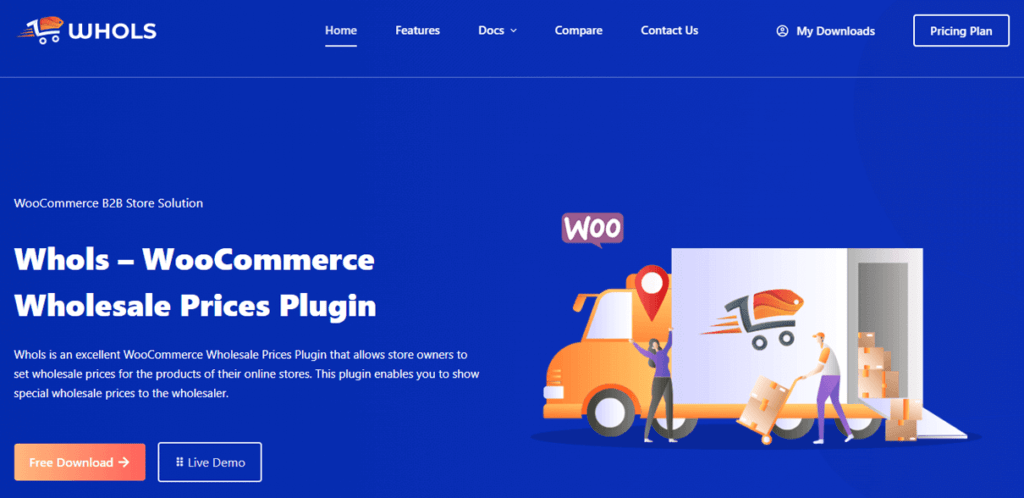
Whols is a WooCommerce wholesale plugin with free and paid versions. It supports wholesale pricing, customer registration, catalog restrictions, and B2B/B2C selling from one WooCommerce installation.
The free version provides a starting point for stores that want to test wholesale pricing and registration. Whols Pro adds multiple customer roles, category pricing, dynamic rules, bulk ordering, saved order lists, payment controls, and other wholesale-management features.
Key Features
- Wholesale registration with custom fields
- Manual or automatic customer approval
- Multiple wholesale customer roles
- Global, category, product, and variation pricing
- Quantity and volume discount rules
- Wholesale-only products and categories
- Price and store-access restrictions
- Minimum order quantity controls
- Bulk order forms
- Saved order lists
- Request-a-quote functionality
- Invoice payments
- Role-based payment rules
- Admin ordering on behalf of wholesale customers
- Multilingual support through WPML
- Integrations with product search and packing-slip tools
Pros
- A free version is available.
- It supports wholesale and retail customers in one store.
- Annual and lifetime licenses are available.
- Unlimited-site licensing is available for agencies.
- Paid plans include the same main feature set across site-count tiers.
- The feature set covers pricing, registration, access, ordering, and checkout.
Cons
- Multiple roles and several advanced workflows require Pro.
- Complex external integrations should be tested individually.
- Stores needing only one price field may not use many of the Pro features.
Pricing
Annual licenses cost:
- $79 for one website
- $149 for five websites
- $249 for unlimited websites
Lifetime licenses cost:
- $199 for one website
- $299 for five websites
- $499 for unlimited websites
Best Fit
Whols is a balanced choice for hybrid WooCommerce stores that need more than a basic wholesale price field. Its free version provides a practical way to evaluate the core workflow before upgrading.
The unlimited-site and lifetime options may also suit agencies that build or maintain multiple wholesale stores.
B2B Wholesale for WooCommerce
Best for: Growing B2B stores that want pricing, registration, product tables, quotations, analytics, and sales-agent features in one plugin.
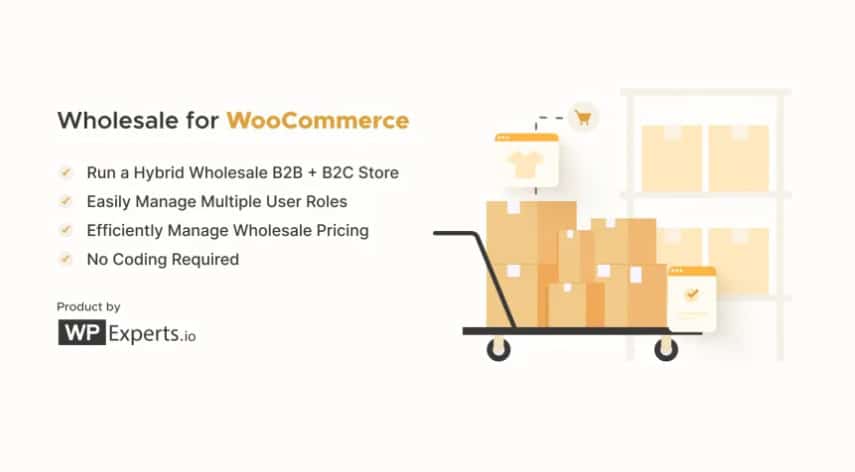
The B2B Wholesale for WooCommerce by WPExperts is a premium B2B plugin covering user groups, tiered pricing, bulk ordering, registration workflows, a wholesale analytics dashboard, and an AI assistant for store management. It is sold exclusively as a paid plugin with no free version.
The plugin positions itself as a full-stack B2B solution, one plugin for pricing, registration, bulk ordering, requisition lists, product sampling, REST API access, and dashboarding. That breadth makes it one of the more feature-rich options in this comparison, suited to businesses that genuinely need most of those capabilities from day one rather than building up gradually.
Key Features
- Multiple wholesale customer roles
- Global, category, product, and quantity-based pricing
- Custom registration forms
- Manual or automatic account approval
- Product, category, price, and Add to Cart visibility controls
- Private wholesale store access
- Searchable product tables
- SKU and variation support
- One-page ordering options
- Built-in request-a-quote workflow
- Quote PDFs and quote-to-order conversion
- Minimum quantity and subtotal rules
- Step-quantity controls
- Role-specific payment and shipping options
- Tax and coupon controls
- Wholesale reports and analytics
- Sales-agent management
- REST API support
- AI-assisted administrative tools
Pros
- It combines most common B2B workflows in one product.
- Product tables and quotations are built into the current plugin.
- It supports detailed role-based pricing and catalog access.
- It publishes compatibility information for a broad range of WooCommerce tools.
- The subscription includes product updates and customer support.
- A 30-day refund policy is available through the marketplace.
Cons
- No free version is currently available.
- The feature set may be excessive for a small store that needs only basic pricing.
- AI features require separate model and API configuration.
- AI usage, permissions, privacy, and operating costs should be reviewed separately.
Pricing
Annual:
- Basic (1 site): $129.99/year
- Pro (3 sites): $199.99/year
- Agency (100 sites): $249.99/year
14-day money-back guarantee. Pricing sourced from WPExperts’ direct store.
Best Fit
B2B Wholesale for WooCommerce is worth considering when registration, pricing, bulk ordering, quotes, analytics, and sales-agent workflows all matter.
A lighter free plugin may be more economical if your only requirement is displaying one wholesale price to approved users.
IGNITEWoo Wholesale Pro Suite for WooCommerce
Best for: Established wholesale stores that need detailed quantity rules, minimum and maximum restrictions, quick order forms, and direct support.
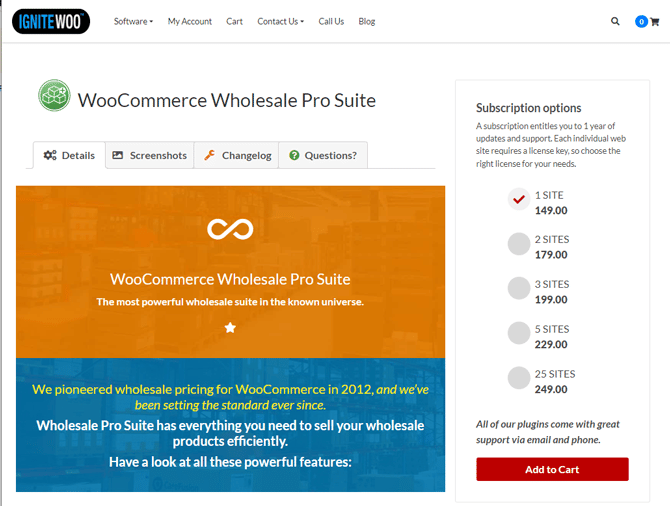
IGNITEWoo Wholesale Pro Suite is one of the oldest wholesale plugins in the WooCommerce ecosystem, with origins going back to 2012. The current version is 4.1.2, updated March 2026. It is a premium-only plugin with email and phone support, including a US toll-free line, which is an unusual differentiator in this space and matters for stores that need direct developer access when things go wrong.
The plugin covers multi-tier role-based pricing, granular quantity discount rules, quick order forms, min/max order controls, and payment and shipping restrictions. Unlike newer competitors that route feature additions through regular product releases, IGNITEWoo has accumulated a deep feature set through over a decade of active development in the wholesale space.
- Unlimited role-based pricing tiers
- Global, category, product, and variation pricing
- Quantity discounts by product or category
- Cart quantity and subtotal discounts
- Minimum and maximum order totals
- Product-level minimum and maximum quantities
- Quantity increments
- Product and variation visibility controls
- One-page quick order forms
- Role-based payment methods
- Role-based shipping methods
- Invoice payment gateway
- Tax exemption controls
- Wholesale-only coupons
- Wholesale sales reports
- Multi-currency compatibility
- WPML and translation support
Pros
- The quick order form is included in the main suite.
- It offers detailed minimum, maximum, and quantity-increment controls.
- It supports role-based shipping and payment rules.
- Email and US phone support are available.
- Multi-currency and multilingual compatibility information is published.
Cons
- No free version is available.
- The product interface and presentation appear less modern than some alternatives.
- Compatibility should be tested against the current WordPress, WooCommerce, PHP, HPOS, and checkout environment.
- Confirm that its registration workflow meets your specific approval requirements.
Pricing
- 1 site for $149.00/year
- 2 sites for $179.00/year
- 3 sites for $199.00/year
- 5 sites for $229.00/year
- 25 sites for $249.00/year
Best Fit
IGNITEWoo is most relevant when detailed quantity controls, included quick order forms, and direct phone support are important.
Do not select it based only on the number of features. Test the plugin with your current WooCommerce environment and any business-critical extensions.
Wholesale Suite – B2B, Dynamic Pricing & WooCommerce Wholesale Prices
Best for: Stores that want to begin with free wholesale pricing and add registration, ordering, payment, or quotation components later.
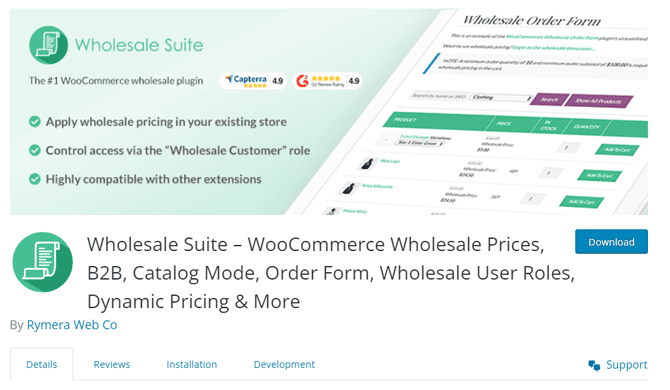
Wholesale Suite – Wholesale Prices by Rymera Web Co is the most widely used free wholesale plugin on WordPress.org, with 20,000+ active installations, 544 reviews, and a 4.8-star rating.
It is important to be clear about what this plugin is. The free plugin adds one wholesale customer role and per-product wholesale pricing. Advanced features: multiple user roles, category pricing, registration forms, order forms, and minimum order controls require paid premium add-ons sold separately or as a bundle through wholesalesuiteplugin.com.
This wholesale prices plugin is best understood as a high-quality entry point into the Wholesale Suite ecosystem, not a standalone all-in-one solution.
Note: The current version is 2.2.9, updated August 2026. The plugin is actively maintained with security and compatibility fixes released regularly.
Free Plugin Features
- One Wholesale Customer role
- Wholesale prices for simple products
- Wholesale prices for product variations
- Retail-price visibility controls
- Catalog mode for logged-out visitors
- Coupon controls for wholesale customers
- WooCommerce CSV import and export support
- Multi-currency support
- WPML compatibility
- Multisite compatibility
Premium Components
- Wholesale Prices Premium: Multiple roles, global and category pricing, quantity tiers, minimum orders, visibility, tax, shipping, and payment controls
- Wholesale Lead Capture: Registration, account approval, login, and email workflows
- Wholesale Order Form: Searchable one-page ordering
- Wholesale Payments: Invoices, deposits, partial payments, and payment terms
- Wholesale Quotes: Quote requests, messages, approvals, and order conversion
Pros
- The free plugin covers a practical one-role pricing use case.
- The modular structure allows stores to purchase specific capabilities.
- It supports simple and variable products.
- It offers multilingual, multi-currency, CSV, payment, and shipping compatibility.
- The full bundle supports unlimited websites.
- The product has an established documentation ecosystem.
Cons
- The free version supports only one wholesale role.
- Registration and bulk ordering require separate components.
- A complete B2B workflow may require several plugins.
- The total cost can be higher than the initial free plugin suggests.
- Promotional and renewal pricing should be checked before purchasing.
Pricing
The core Wholesale Prices plugin is free.
The full five-plugin bundle is currently offered from $299 per year for unlimited websites. The bundle operates as an annual subscription and includes updates and support while the license remains active.
Best Fit
Wholesale Suite is a practical starting point if you need basic role-based pricing for free. It also suits businesses that prefer a modular system and want to add workflows gradually.
If you need multiple roles, registration, bulk ordering, payment terms, and quotes immediately, compare the complete bundle cost against an all-in-one plugin.
WooCommerce B2B
Best for: Single-site stores that need customer groups, quotation workflows, bulk ordering, and a one-time license.
WooCommerce B2B by Code4Life is sold through CodeCanyon with a one-time payment model – no annual renewals, and all future updates included. The current version is 4.0.9. The plugin has over 4,200 active installs across 125+ countries and a 4.93 average rating from 138 reviews.
The plugin covers customer groups, tiered pricing, product visibility, a quotation workflow, quick order forms, B2B payment methods, and custom registration — all in a single purchase.
The quotation system is particularly well developed: buyers submit quote requests at checkout, the admin reviews and quotes back, and the buyer pays from their account. This full negotiation cycle is more complete than what most competitors handle natively.
Note: The last confirmed update was November 2025. As of August 2026, that is a nine-month gap — verify current development status directly with the developer before purchasing.
Key Features
- Customer groups
- Dedicated prices and discounts by group
- Quantity-based pricing
- Product, category, brand, price, and website visibility
- Custom registration forms
- Manual account approval
- VAT fields and tax-exemption controls
- Quotation requests and negotiated offers
- Invoice and purchase-order payment methods
- Quick order form
- Live product search
- CSV bulk add to cart
- Minimum order values
- Different payment and shipping methods by customer group
- HPOS compatibility
Pros
- The regular license uses a one-time payment.
- Lifetime use and updates are included.
- Quotation functionality covers request, review, offer, and payment.
- Bulk ordering, group pricing, registration, and visibility are included.
- An online demo is available.
Cons
- No free version is available.
- The latest published update should be checked before purchase.
- Author support beyond the included six months requires renewal.
- Licensing and updates depend on the marketplace through which it is sold.
Pricing
- Regular License: $99(One-time)
- Extended License: $199(One-time)
Best Fit
WooCommerce B2B is a strong candidate when negotiated sales and one-time licensing are priorities.
Because its most recently published version may not be as recent as some competitors, confirm development activity and compatibility before purchasing.
Barn2 WooCommerce Wholesale Pro
Best for: Store owners and agencies that want a separate wholesale area, structured documentation, and a modular plugin setup.
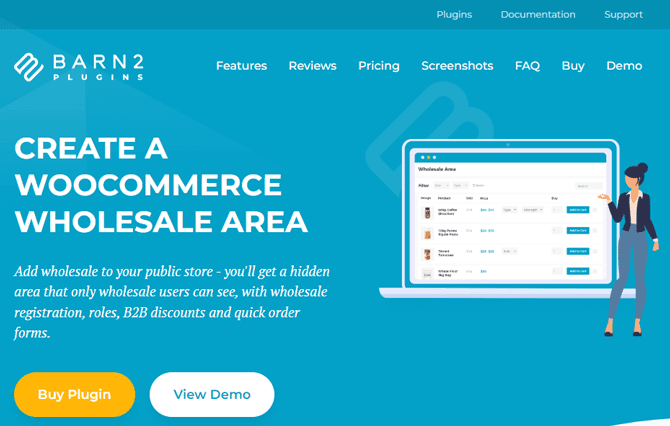
Barn2 WooCommerce Wholesale Pro is a premium plugin from Barn2 Plugins, known for careful engineering and detailed documentation. The plugin creates a hidden B2B area separate from the public shop; wholesale users see their own store page with role-based pricing, while retail visitors see the regular shop unmodified.
Quick order forms commonly needed for B2B bulk buyers require purchasing Barn2’s WooCommerce Product Table plugin as a bundle. Tiered quantity discounts also require their separate Discount Manager plugin. These are worth factoring into the total cost before comparing it against all-in-one alternatives.
Key Features
- Unlimited wholesale customer roles
- Global and category-level discounts
- Product and variation pricing
- Wholesale registration
- Manual or automatic approval
- Separate Wholesale Store page
- Public-only products and categories
- Wholesale-only products and categories
- Shared retail and wholesale catalogs
- Hide Price Until Login functionality
- Role-based payment methods
- Role-based shipping methods
- Tax and coupon controls
- Multilingual and RTL support
- Compatibility with other plugins in the same ecosystem
Additional Plugins
Some important capabilities require additional products:
- One-page bulk order forms require WooCommerce Product Table.
- Quantity-based tiered discounts require WooCommerce Discount Manager.
- Minimum quantities and order values require WooCommerce Quantity Manager.
- Customer-specific catalogs may require WooCommerce Protected Categories.
Pros
- It creates a clear separation between public and wholesale shopping areas.
- The product has detailed setup and troubleshooting documentation.
- It supports multilingual and role-based checkout requirements.
- Stores can add other components as their workflow becomes more complex.
- System requirements and compatibility information are clearly published.
Cons
- Bulk order forms are not included in the base plugin.
- Quantity-tier discounts require another plugin.
- Minimum order controls require another plugin.
- Customer-specific catalog restrictions may require another plugin.
- The complete setup can cost considerably more than the base license
Pricing
Annual:
- 1 site: $199/year
- Up to 5 sites: $299/year
- Up to 20 sites: $599/year
Lifetime:
- 1 site: $699
- Up to 5 sites: $999
Best Fit
Barn2 is a good option when private catalog structure, documentation, and modular configuration matter more than receiving every B2B feature in one plugin.
Evaluate the cost of the complete configuration rather than comparing only the base-plugin price.
Which Plugin Is Best for Your Wholesale Store Type?
The following table provides a shortlist based on common wholesale requirements. It is not a universal ranking.
| Store Type or Priority | Plugins to Shortlist | Why |
| Starting with a free plugin | Whols or Wholesale Suite | Both provide a free entry point for wholesale pricing. Compare the paid upgrade path before committing. |
| Multiple wholesale pricing tiers | Whols Pro, B2B Wholesale for WooCommerce, IGNITEWoo, Wholesale Suite Premium, WooCommerce B2B, or Barn2 | All support multiple roles or customer groups. Compare fixed prices, percentages, quantity tiers, and rule priority. |
| Wholesale and retail in one store | Whols, B2B Wholesale for WooCommerce, Wholesale Suite, WooCommerce B2B, or Barn2 | These options support hybrid B2B and B2C catalogs with role-based pricing or visibility. |
| Frequent multi-SKU bulk ordering | B2B Wholesale for WooCommerce, IGNITEWoo, WooCommerce B2B, or Whols Pro | These plugins provide built-in product-table, quick-order, CSV, or bulk-order features. |
| Quotation-based sales | WooCommerce B2B, B2B Wholesale for WooCommerce, Whols Pro, or Wholesale Suite with Wholesale Quotes | These options support quote requests or quote-to-order workflows. Compare negotiation, messaging, PDF, and payment capabilities. |
| Private wholesale catalogs | Barn2, B2B Wholesale for WooCommerce, Whols, or WooCommerce B2B | These options provide product, category, price, or store-access restrictions. |
| Agencies and multiple client sites | Whols unlimited-site plans, Wholesale Suite All Access, or IGNITEWoo multi-site plans | These products offer unlimited-site or larger multi-site licensing options. |
| One-time licensing | WooCommerce B2B or Whols lifetime plans | These options avoid mandatory annual licensing for continued use. Check how support and updates are handled. |
| Modular plugin architecture | Barn2 or Wholesale Suite | Both let stores combine separate components according to their workflow. Calculate the total cost first. |
| Direct phone support | IGNITEWoo | The provider publishes email and US phone support options. |
Which WooCommerce Wholesale Plugin Should You Choose?
There is no universal winner for every WooCommerce wholesale store.
- Choose Whols if you want a free starting point, a broad hybrid B2B/B2C feature set, and annual or lifetime multi-site licensing.
- Choose B2B Wholesale for WooCommerce if you want pricing, registration, product tables, quotes, analytics, and sales-agent tools in one paid plugin.
- Choose IGNITEWoo Wholesale Pro Suite if quantity restrictions, quick order forms, and phone support are major priorities.
- Choose Wholesale Suite if you want basic pricing for free or prefer assembling a modular wholesale stack.
- Choose WooCommerce B2B if quotations and one-time licensing are central to your purchasing decision.
- Choose Barn2 WooCommerce Wholesale Pro if you want a separate private wholesale area and are comfortable purchasing additional components.
Select two or three options that meet your non-negotiable requirements. Then test them against a staging copy of your actual store.
How to Choose the Right WooCommerce Wholesale Plugin
Ask these questions before purchasing:
- Do you operate wholesale only, or do you serve wholesale and retail customers together?
- How many wholesale roles and pricing tiers do you need?
- Do you need fixed prices, percentage discounts, or quantity-based pricing?
- Must new wholesale customers receive manual approval?
- Do buyers frequently order multiple products or variations?
- Do you need a request-a-quote or negotiated-sales workflow?
- Should any products, categories, or prices remain wholesale-only?
- Do customer groups need different payment or shipping methods?
- Which multilingual, currency, inventory, accounting, ERP, CRM, and checkout tools must remain compatible?
- Does the plugin support your WordPress, WooCommerce, PHP, HPOS, and checkout configuration?
- Which required features need separate add-ons?
- What will the complete first-year and renewal cost be?
- Do you prefer free, annual, or lifetime licensing?
- How many websites must the license cover?
- How important are documentation and direct support?
- Does the plugin have recent updates and a clear changelog?
- Can you test the workflow on staging before deployment?
If your pricing model is not finalized, review the differences between volume discounts and tiered pricing before configuring your plugin.
Frequently Asked Questions
Can WooCommerce handle wholesale customers natively?
No. WooCommerce does not include wholesale pricing, role-based pricing, wholesale registration, or account approval out of the box. A third-party plugin is required to add these capabilities.
Is there a free WooCommerce wholesale plugin?
Yes. Both Whols and Wholesale Suite offer free versions on WordPress.org. Whols’s free version includes registration forms, product-level pricing, and price visibility controls. Wholesale Suite’s free version provides a single wholesale customer role with per-product pricing. Both have meaningful limitations compared to their paid counterparts.
How do I add wholesale pricing in WooCommerce?
Install a wholesale plugin, create a wholesale user role, assign wholesale prices to products or categories, and assign the wholesale role to your buyers. Buyers then see wholesale pricing when logged in. The exact steps vary slightly by plugin, but the general model is consistent across all options in this comparison.
Can I sell wholesale and retail from the same WooCommerce store?
Yes. Most full-featured plugins in this comparison support wholesale and retail customers within the same WooCommerce installation. Retail visitors see retail prices; logged-in wholesale customers see their assigned wholesale pricing. Visibility controls let you hide specific products or categories from one group or the other.
How do I hide wholesale prices from retail customers?
Most wholesale plugins add an option to show wholesale prices only to users assigned a wholesale role. Retail visitors or logged-out users see the regular retail price, or a message asking them to log in or apply for a wholesale account. This is typically configured in the plugin settings.
Conclusion
The right WooCommerce wholesale plugin should match your real pricing, registration, catalog, ordering, payment, shipping, and integration requirements.
Start with Whols or Wholesale Suite if you want to test wholesale pricing through a free plugin. Consider B2B Wholesale for WooCommerce for a connected all-in-one workflow, IGNITEWoo for detailed quantity controls and phone support, WooCommerce B2B for quotations and one-time licensing, or Barn2 for a documented and modular private wholesale setup.
Before purchasing, calculate the total cost of the required plugins and add-ons. Review the latest pricing and compatibility information, then test the preferred option with your actual products, customer roles, payment methods, shipping rules, taxes, and extensions on a staging website.